
🌟 Running the Server
Now comes the exciting part—previewing how your web application looks and behaves in the browser!
To start the Duck server, simply navigate to your project directory and run the following command:
duck runserver
Alternatively, use:
python3 web/main.py
The above command will start your Duck web application at http://localhost:8000 or https://localhost:8000 if ENABLE_HTTPS is enabled in the settings.py file.
Notes
The
duck runservercommand offers several flags and options that you can use to customize how your application runs.Run
duck runserver --helpto explore the available options, which range from adjusting the address and port to running Duck with Django integration.
Previewing Your Live Web Application
Once you open your browser at the specified URL, you should see something similar to this:
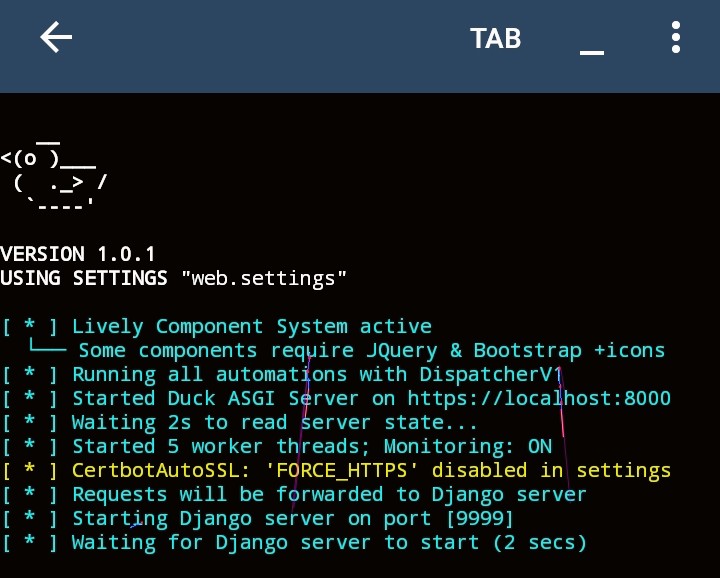
Terminal Output After Running duck runserver
After executing the duck runserver command, your terminal should display output like the examples below:
Port Conflicts
If the server fails to start due to a port conflict, check if the port is already in use by another service. You can specify an alternative port by passing the -p
python3 -m duck runserver -p 8080